Scheduling
Scheduling software for photo booth businesses
A taken date is never offered, busy dates price themselves, and each attendant sees only the events they are working.
What it does
The diary, the prices and the day, from one record.
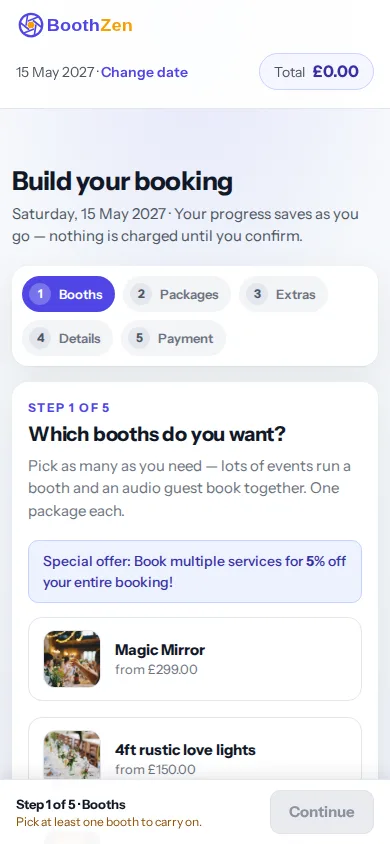
Scheduling a booth business is two jobs. The first is the diary: which dates are free, for which booth, and what each date is worth. The second is the day: who is going, where, when to arrive and what to take. Your booking page reads availability from your calendar, so a customer can only pick a date you can do, and date pricing charges more for a Saturday in June than a Tuesday in February without you editing a package. Once the booking is confirmed, the run sheet and the attendant's view come from the same record.
- Booking page and availabilityEvery plan
- Your packages, extras and prices on a page you send or embed. Availability comes from your calendar, so a taken date is never offered.
- Date pricingFrom Starter
- Charge more for a Saturday in June than a Tuesday in February without editing packages. Set it once by date, weekday or season.
- Calendar feedsFrom Starter
- Every booking in Google, Apple or Outlook calendar through an iCal feed, for you and each attendant.
- Attendant app and run sheetsFrom Team
- Your attendants see only their events: address, times, package, notes, and a button to say they have arrived.
- Operator appEvery plan
- Bookings, customers and the calendar on your phone, with the day's run sheet.
- Task builderFrom Team
- Checklists added to a booking when it is confirmed: order the props, print the template, charge the batteries.
Honest limits
Your diary is only as current as what is in it.
A booking you take somewhere else, by phone or at a wedding fair, does not block the date until you add it. The calendar feeds carry your bookings out to Google, Apple or Outlook calendar; they do not bring events from those calendars back in, so a personal appointment in Google will not stop a customer booking that date here.

Questions
Questions operators ask
Does it work with Google Calendar?
Yes, one way. Every booking appears in Google, Apple or Outlook calendar through an iCal feed, for you and for each attendant. Events you add in those calendars do not block dates in BoothZen.
Can I charge more on busy dates?
Date pricing and seasonal rates start on Starter. Set it once by date, weekday or season and the booking page quotes the right price.
Can my attendants see their own events?
The attendant app and run sheets start on Team. Each attendant sees only their events: address, times, package, notes, and a button to say they have arrived.
Can I bring my existing bookings across?
Yes. The import takes a CSV of customers and bookings with dates, packages and prices, deposits paid and balances due, and notes. Signed contracts you saved as PDFs attach to the matching booking, and nothing dated before the day you import sends an email.
Put the next free Saturday on your booking page.
Free for your first 10 bookings. No booking fees: deposits go through your own gateway into your own account.